

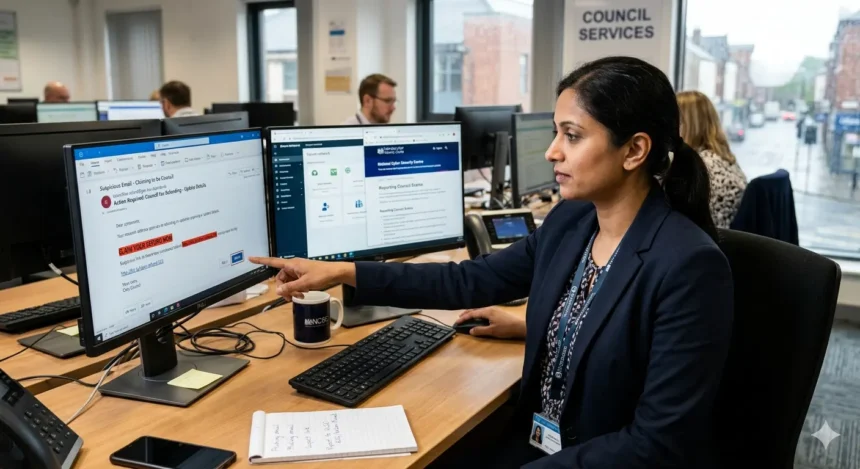
Phishing emails pretending to be your local council—especially councils in North London—are one of the most common ways cybercriminals steal personal data and money. This guide explains what these scam messages are, how to spot them, and exactly where and how to report them to the right authorities in the UK, including North London boroughs such as Barnet, Enfield, Haringey, Camden, and Islington.
- What is a phishing email from the council?
- Why do criminals pretend to be the council?
- How can you tell if a council email is fake?
- What should you do immediately after receiving a phishing council email?
- Where should you report phishing emails in the UK?
- How do you report phishing to your email provider?
- What if you have already clicked a link or opened an attachment?
- How can you protect yourself from future council‑related phishing?
- What happens after you report a phishing email claiming to be the council?
- How do phishing attacks evolve and why is reporting still important?
What is a phishing email from the council?
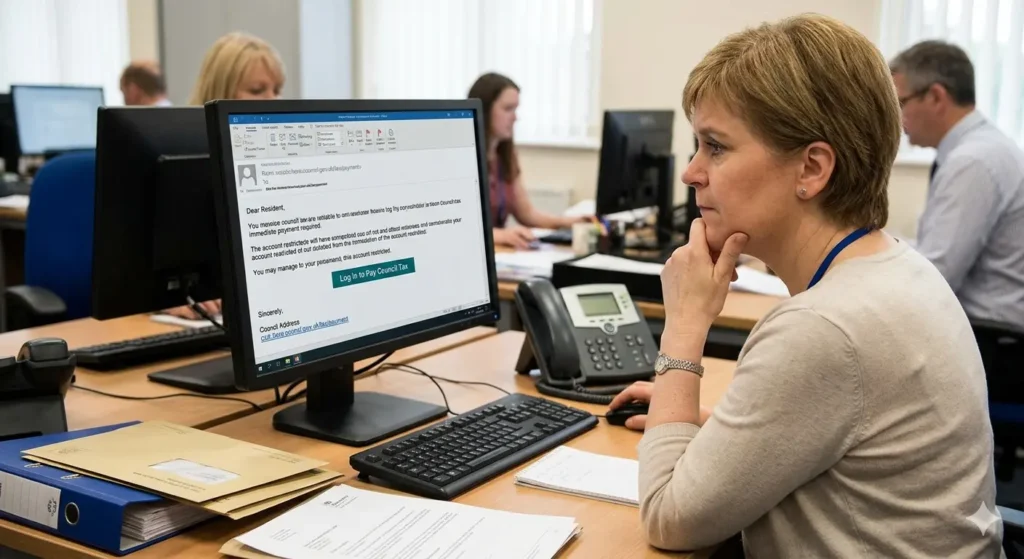
A phishing email claiming to be the council is a fake message that copies the look, logo, language, or sender address of a real local authority. It usually says it is about Council Tax, council housing, parking fines, bins, or benefits, but its real purpose is to trick you into clicking a link, downloading a file, or replying with personal or financial information.
These messages often use urgency, such as “immediate payment required” or “your account will be closed,” to pressure you into acting quickly. The destination links usually lead to fake websites that mirror the council’s real login or payment page, but any data entered there is sent straight to the scammer.
Why do criminals pretend to be the council?
Council‑related phishing works because people trust local government services with their personal data. Criminals exploit that trust by using topics many residents touch every year, such as Council Tax, housing, parking, waste collection, and benefits. Research and scam reports show that impersonating trusted public bodies ranks among the top three tactics in phishing campaigns.
These emails are often sent in bulk to thousands of addresses, so attackers only need a small percentage of people to click or reply for the scam to be profitable. The data they collect can be used to steal money directly, apply for credit in someone’s name, or be sold on dark‑web marketplaces where stolen UK identities frequently appear in batches.
How can you tell if a council email is fake?
A 40‑word answer: A fake council email often uses a strange sender address, poor spelling, generic greetings, urgent threats, and links to non‑official websites. Check the exact email address, look for HTTPS on council links, and contact the council directly using a phone number or web address from an official source, not from the suspicious email.
More detail: Start with the sender field. A genuine council email will usually come from a domain that matches the council’s official website, such as something like “@brent.gov.uk” or “@london.gov.uk,” not a generic Gmail, Outlook, or confusing custom domain. Hover over the sender name without clicking; the real email address may reveal a mismatch.
Next, read the wording. Fake messages often say “Dear Customer,” “Dear Sir/Madam,” or “Dear Valued User” instead of using your real name. They may include spelling mistakes, odd capitalisation, or excessive use of exclamation marks: “Urgent!!! Payment Required Immediately!!!” Real council emails tend to be more formal and consistent in style.
Then inspect any links. Move your mouse over a blue link without clicking. The URL at the bottom of your browser should show an address that matches the council’s official website, not a misspelled version or a completely different domain. If the link hides behind a button or a shortened URL, treat it as suspicious.
Finally, check for unnatural pressure or threats, such as “Your account will be suspended in 24 hours if you do not pay now” or “You may be prosecuted for non‑payment.” Legitimate councils rarely demand immediate online payment through a single email; they usually send physical letters or give clear instructions via their website or phone line.
What should you do immediately after receiving a phishing council email?
A 40‑word answer: Do not reply, click links, open attachments, or share any personal or financial details. Mark the email as spam or junk, delete it, and then report it to your national cybercrime or fraud authority, your email provider, and your local council’s official contact channels.
If you use a major email service, such as Gmail, Outlook, or Apple Mail, use the built‑in reporting feature. For example, in Gmail, open the email, click the three‑dot menu, and select “Report phishing.” In Outlook, select the message, click the “Report” button, and choose “Phishing” or “Junk.” This helps the provider block similar messages for other users.
If the email specifically mentions your council, you should also notify that council. Most UK local authorities publish a “report a scam” or “report phishing” email address or form on their official website; search for “report phishing + [council name].” Always open the council’s site directly in your browser instead of clicking any link inside the suspicious email.
If the message asks for or claims to already have sensitive data—such as your National Insurance number, bank details, or passport information—consider contacting Action Fraud (in the UK) or your national cybercrime unit to log the incident. This creates an official record and may help detect wider campaigns targeting the same council.
Where should you report phishing emails in the UK?
A 40‑word answer: In the UK, send phishing emails to the National Cyber Security Centre (NCSC) via report@phishing.gov.uk, report fraud and scams to Action Fraud, and forward council‑related phishing to your local council’s designated reporting channel listed on its official website.
The NCSC’s Anti‑Phishing Service runs the report@phishing.gov.uk mailbox specifically for UK residents and organisations to forward phishing emails. When you report there, the NCSC analyses the message, closes down fraudulent websites, and works with banks and hosting providers to block related infrastructure. This is the primary route for pure phishing, not just for council impersonations but for all fake emails.
You should also report the incident to Action Fraud, the UK’s national reporting centre for fraud and online crime. Use the Action Fraud website or phone line especially if you have already clicked a link, opened an attachment, or shared any information. Action Fraud passes incidents to the relevant police force or the National Fraud Intelligence Bureau, which can then link cases across regions.
Many UK councils also publish their own reporting instructions. For example, some London boroughs list a “scam awareness” or “report a suspicious email” page with a dedicated email address. Forwarding the phishing email there helps the council warn other residents and update their own security policies.
If the phishing email pretends to be a central government body such as HMRC or the Department for Work and Pensions, you can also use the government’s dedicated reporting systems. HMRC, for instance, runs a phishing‑reporting email address that it uses to shut down fake tax‑related messages.
How do you report phishing to your email provider?
A 40‑word answer: In Gmail, Outlook, Apple Mail, and other major services, open the suspicious email, find the “Report phishing” or “Mark as phishing” option in the message menu, and select it; this sends the email to the provider’s security team and removes it from your inbox.
For Gmail users, open the email, click the three vertical dots next to the reply arrows, then select “Report phishing.” Gmail will remove the message from your inbox and send it to Google’s security analysts. Similar protection exists in the mobile Gmail app, where the menu icon gives you the same option.
Outlook and Microsoft 365 users can select the suspicious email, click the “Report” button in the ribbon, and choose “Phishing.” Outlook on the web follows the same pattern: select the message, open the three‑dot menu, choose “Report,” then “Report phishing.” This triggers Microsoft’s automated phishing‑detection systems and helps block the sender across its user base.
Apple Mail includes a “Mark as Junk” or “Report Junk” option. While this is more general than a dedicated “phishing” button, repeated reports still help Apple’s filters learn which senders are malicious. Some email‑security add‑ons or browser extensions also offer one‑click phishing reporting that submits the full message headers to global threat‑intelligence networks.
Once you report the email in your provider, avoid interacting with the same sender or subject line again. If new messages appear, repeat the reporting process rather than deleting them silently. Mass reporting is one of the main ways that email providers refine their spam and phishing filters.
What if you have already clicked a link or opened an attachment?
A 40‑word answer: If you clicked a link or opened a file, disconnect the device from the internet, run a full antivirus scan, change all affected passwords, and monitor bank and council accounts for unusual activity while reporting the incident to your national cybercrime and fraud agencies.
First, stop any further activity on the affected device. Unplug the Ethernet cable or turn off Wi‑Fi to prevent malware from communicating with remote servers. This can stop ransomware, information‑stealing trojans, or remote‑access tools from transmitting your data.
Next, run a full system scan with reputable antivirus or anti‑malware software. Many modern suites include specific “ransomware protection” or “web‑threat” modules that can detect and quarantine malicious files. If the software finds anything, follow its removal instructions and restart the device if required.
Change passwords for any accounts you may have entered on the fake council page, including your email, bank accounts, and government portals such as GOV.UK Verify or local council self‑service portals. Use strong, unique passwords for each service and enable two‑factor authentication where possible. Two‑factor authentication can block many follow‑up attacks even if a password has been captured.
After securing your accounts, review recent bank, credit‑card, and council‑payment statements. Look for unexpected direct‑debit changes, new payments, or unfamiliar items such as “administration fees” or “support charges.” If you spot anything suspicious, contact your bank or card provider immediately and ask for a transaction investigation.
Then report the incident to the appropriate authorities. In the UK, contact Action Fraud and provide all details, including screenshots if you captured any. If you are in another country, use that nation’s cybercrime or fraud reporting portal, such as the FBI’s Internet Crime Complaint Center (IC3) in the United States or the Canadian Anti‑Fraud Centre in Canada. Providing full information helps agencies map patterns and shut down phishing campaigns faster.
How can you protect yourself from future council‑related phishing?
A 40‑word answer: Use strong, unique passwords, enable two‑factor authentication, keep software updated, avoid clicking email links about councils, and always visit council websites by typing the address manually or using a bookmark created by you.
One of the most effective shields is a password manager. A good password manager generates and stores long, random passwords for each council, bank, and government service, so you never reuse the same password across multiple sites. If one phishing site captures a password, it cannot be reused to access your other accounts.
Turn on two‑factor authentication wherever it is available. For council and government portals, this often means receiving a code by SMS or via an authenticator app after you enter your password. Even if a scammer captures your login details, they cannot reach your account without the second code.
Keep your operating system, browser, and antivirus software up to date. Security patches regularly close vulnerabilities that phishing‑linked malware exploits. Many attacks spread through outdated software components, so automatic updates are an important line of defence.
Develop a habit of never clicking links in unsolicited emails that claim to be from the council. Instead, open a new browser tab, type the council’s official web address from memory or a trusted source, and log in there. If the email mentions a payment or account issue, check it directly in your online council account or contact the council by phone.
Finally, educate friends and family, especially older relatives, about the structure of council‑related phishing. Share simple rules, such as “never give your PIN or full password by email or phone” and “always check the sender address.” Many phishing campaigns that appear to be from councils succeed simply because people do not question the legitimacy of the message.
What happens after you report a phishing email claiming to be the council?
A 40‑word answer: When you report a phishing email, national cyber and fraud agencies, email providers, and sometimes the council itself analyse the message, block domains, warn other users, and may initiate investigations that can lead to takedowns of fake websites or criminal prosecutions.
National cybersecurity centres, such as the NCSC in the UK, ingest reports from report@phishing.gov.uk and automated feeds from email providers. They examine the email headers, URLs, and attached files to identify command‑and‑control servers, hosting providers, and payment channels used by the scammer. This information is then shared with hosting companies and registrars, which can suspend or remove the fraudulent sites.
Email providers use aggregated reports to refine their spam and phishing filters. When many users report the same sender or domain, algorithms flag similar messages for automatic blocking or aggressive filtering. This reduces how many people see the phishing email in the first place.
Law‑enforcement and fraud agencies record the incident and compare it against other reports. If multiple residents in the same borough report identical council‑related phishing, investigators can link the attacks, trace infrastructure, and potentially identify suspects. In some cases, this leads to coordinated takedowns or criminal charges.
Local councils may also act on reports by publishing scam alerts on their websites, updating public‑awareness campaigns, and tightening authentication requirements for their online services. Some councils now use multi‑factor authentication for high‑risk actions, such as changing bank details for direct debits, to reduce the impact of phishing.
By reporting a phishing email claiming to be the council, you contribute to a broader ecosystem of defence that protects not only yourself but thousands of other residents who might otherwise receive the same message.

How do phishing attacks evolve and why is reporting still important?
A 40‑word answer: Phishing continually adapts with new lures, such as fake invoices, council‑related support links, or text‑message follow‑ups, but reporting each incident globally helps security teams update detection rules, block infrastructure, and disrupt campaigns before they reach more victims.
Modern phishing increasingly blends email, text messages (smishing), and phone calls (vishing). A council‑related scam might start with an email about a missed Council Tax payment, then send a text with a shortened link, and end with a follow‑up call pretending to be a “council fraud officer.” This multi‑channel approach raises the pressure on targets and makes the scam seem more legitimate.
Cybercriminals also refine their techniques to bypass filters. They use domain names that visually resemble genuine council addresses, such as swapping letters (e‑g, “lond0n.gov.uk”) or using similar‑looking characters. They may also send emails from newly registered domains that have not yet been flagged by spam lists, making user reports even more critical.
Planned, systematic reporting to national and international bodies—such as the NCSC, Action Fraud, and global anti‑phishing groups—feeds into shared threat feeds. Security researchers use these feeds to release updated signatures for antivirus software, email filters, and web‑security tools. As a result, the same phishing technique that works today may be blocked tomorrow if enough people report it.
In addition, aggregated data from phishing reports helps governments and regulators understand the scale and methods of cybercrime. This information can drive policy changes, such as stricter rules on domain registration, stronger verification for public‑authority communications, and more public‑awareness campaigns about council‑related scams.
Because phishing that impersonates the council targets universal services used by nearly every household, it remains a long‑term threat. Reporting each suspicious email, even if it seems obvious or repetitive, is a concrete step toward reducing the reach and impact of these scams over time.
How can I tell if a council email is a phishing scam?
Check for unusual sender addresses, generic greetings, urgent demands, and suspicious links—official councils won’t ask for sensitive details by email.